
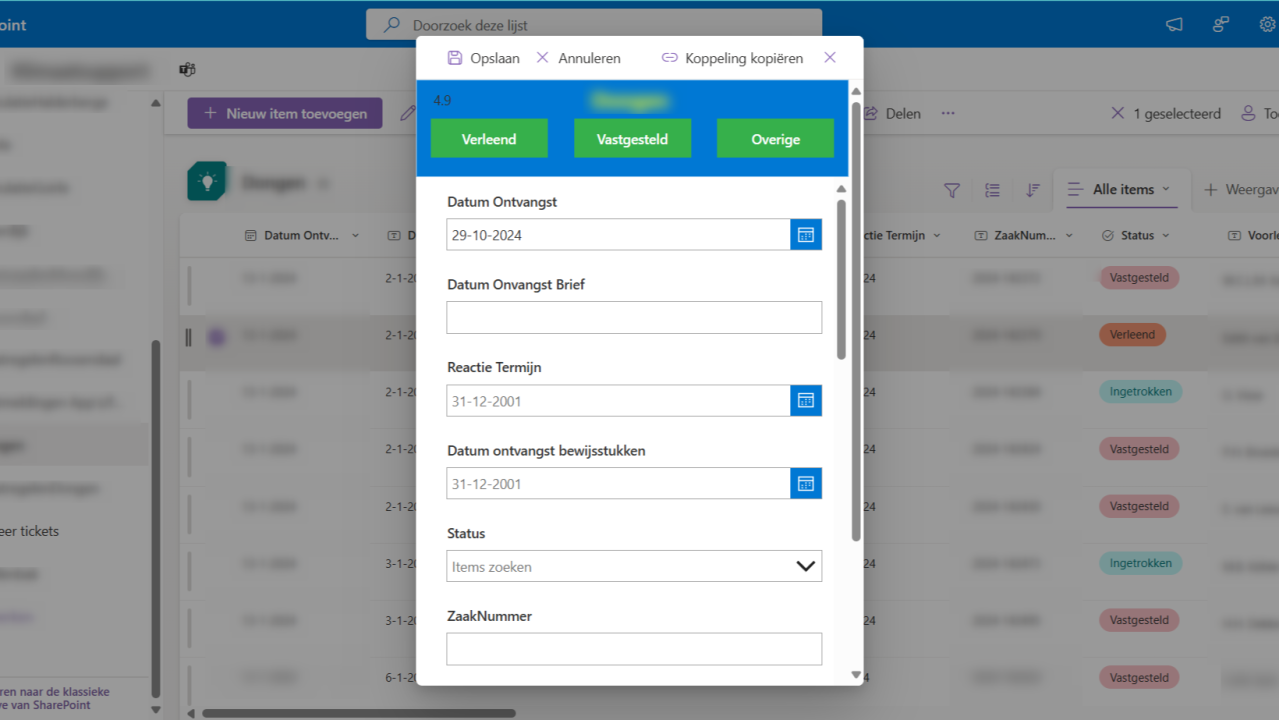
– Developing a Business Case –
I worked with a client to develop a SharePoint Canvas List App. Curious about the experience and the challenges we faced? Read on to find out.
🤝 The Importance of Asking the Right Questions
During the COVID period, I connected with a potential client in an unexpected way: while attending a bootcamp instead of intentionally networking on the golf course!😉 The client was an organization focused on processing municipal sustainability grant applications.
In our first conversation, one of the founders asked me how the Power Platform might improve their internal processes. This led to several discussions, where we explored key questions aligned with the BUBO approach (link). With their responses, I analyzed their current application landscape and identified that they were mainly using Excel sheets and manual document creation. They sought a solution to automatically process PDF documents, saving time on handling grant applications. Additionally, they wanted to enhance both internal and external collaboration, especially through Teams. A great business case for the Power Platform.
💡 The Power Platform Solution
I recommended Microsoft 365 Business and Power Automate Premium licenses, which include SharePoint and Teams. This setup provided them with shared document storage and collaboration space, utilizing Teams to its fullest potential. They preferred an all-in-one solution without constantly switching between apps and files. Given this preference and the licensing model, a SharePoint Canvas List App was the clear choice.
🔍 Features of the App
The app is accessible by opening a record in a SharePoint list and includes the following functions:
- 🧮 Real-time Calculations: Instantly perform and display calculations.
- 📄 Word Templates: Trigger document generation in-app through Power Automate and the Word Online Connector.
- 📊 Data Accessibility: SharePoint-stored data remains directly visible in both the app and overview.
- ✅ Approval Workflow: Implement a four-eyes principle through Power Automate.
- 📑 PDF Imports: Automatically read PDF documents with Power Automate and the Encodian Connector, making them visible in the list.
🔧 Technical Challenges and Open Communication
During development, several issues emerged:
- 📑 PDF formatting varied per municipality.
- 💾 Initially, the PowerFX function didn’t align well with the save/edit functionality of the SharePoint list.
- 📑 Saving multiple forms within the app didn’t initially work as expected.
- 🐞 A persistent bug affected the release process from app to execution list.
Throughout this journey, we learned that despite thorough preliminary discussions, misunderstandings on specific details can arise during implementation. Staying in close communication is essential, as reality often differs slightly from plans. This is common in most IT projects, underscoring the importance of maintaining dialogue during execution.
📈 Results and Looking Forward
Ultimately, the app helped my client process municipal sustainability grant applications more efficiently, reducing the time required for administrative tasks and allowing staff to focus on substantive aspects of applications.
☕ Interested in a Bootcamp? 😉
If your company or organization wants to get more out of SharePoint through an integrated app or process automation, or if you’re looking for app management support, feel free to reach out. I’m always open for a chat. Whether it’s during a bootcamp or a virtual coffee, as I’m currently traveling.
Looking forward to hearing from you,
Sander